
HP Aruba Switches


the Maghreb.

full warranty
Any server or storage you can configure according to your demands in our configurator or by consulting with an expert. Our expertise helps us set new quality standards
to buy a servers at IDC
Ask to consultant
Repair and/or replacement of components.
More about warranty
part
warranty
part
warranty
Testing
We’re committed to full reliability: every unit, new or refurbished, receives thorough diagnostics, testing, and parts replacement
maximum load
Systems are stress-tested with varied software stacks to prove stability—so you can rely on them for years to come
Power supply
We push components to the limit for several days, and if something’s uncertain, we change it
of all equipment
New or used, every device is tested to the same standard. In addition, we include our own warranty with the manufacturer’s
HPE ProLiant switches
A switch is an active network device that connects other devices into a single network (local or global) and transfers data packages between them. Don't confuse them with routers that send data from multiple devices into a network, not a specific device (server, other switch, router or PC). Most switches are layer 2 devices that are connected to other devices in the network using Ethernet interface.
What is a layer 2 (L2) switch? What is a layer 3 (L3) switch?
Network switches operate either at OSI layer 2 (channel level) or OSI layer 3 (network level). Layer 2 switches transfer data based on a MAC destination address, while layer 3 switches transfer data based on an IP destination address. Some multi-layer switches perform both functions.
Advantages of HPE switches
HPE switches have the following advantages:
-
HPE switches provide for more wired connections in a LAN. One Ethernet cable can be used for multiple wired connections;
-
You can create VLAN. For example, if your marketing department stores confidential data on campaign budgeting, you can use VLAN to restrict other departments' access to this data;
-
HPE managed switches are better for large traffic optimization than unmanaged ones. Also, you can add easy consumer models;
-
Large selection from extensive HPE portfolio. For any task and budget: with various number of ports, including PoE, interfaces and bandwidths;
-
Easy operation, deployment and configuration.
HPE switches are a business tool for specific tasks. Find switches in the Servermall catalog and achieve your company key goals. You are offered large model selection and can receive professional consultation of our experts.
Form factors, lines and series of HPE switches
HPE switches are equipment lines for various tasks: FlexNetwork, FlexFabric, StoreFabric, OfficeConnect, Arista, Altoline, Aruba (an affiliated company that was a separate company until 2015) and others.
The lines include series and specific models with various interfaces:
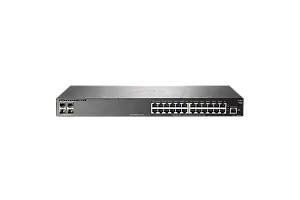
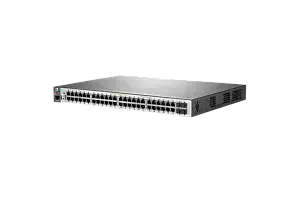
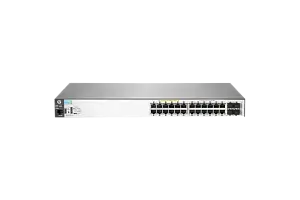
Some of the HPE Aruba switch series:
-
Aruba 1930. Model examples: 8G-2SFP managed L2, 24G-4SFP/SFP+ managed L2, 48G-4SFP/SFP+ managed L2;
-
Aruba 2530;
-
Aruba 3810;
Some of the HPE FlexNetwork switch series:
-
HPE FlexNetwork 5130. Model examples: 24G-4SFP+ managed L3, 48G-4SFP+ managed L3;
-
HPE FlexNetwork 5510;
-
HPE FlexNetwork 7503.
Some of the HPE OfficeConnect switch series:
-
HPE OfficeConnect 1420. Model examples: 24G-2SFP+ managed L2, 24G managed L2;
-
HPE OfficeConnect 1820;
-
HPE OfficeConnect 1950.
How to choose an HPE switch
You can find detailed characteristics of any HPE switch by searching “HPE (switch name) QuickSpecs”. HPE website provides the most current specs (with latests firmware and updates).
1. Should the switch be managed or unmanaged?
If your company has a non-complex network without dozens of branches, unmanaged switches will do just fine. However, managing large enterprise networks without a managed switch is not an easy task. Managed switches help you reduce time and make your network more flexible in terms of configuration and variability. Another advantage is additional VLAN options and Quality of Service (QoS).
2. What ports should you choose for you switch
RJ45 ports support speed from 10 Mbps to 1 Gbps. Some tasks require bigger bandwidth. Fiber optic and SFP/SFP+ ports are good for large enterprise networks with huge data flows and remote nodes.
3. How many ports should a switch have?
The amount of ports affects the amount of devices you can connect to your network. The most basic network switches have 2 ports, while enterprise switches can have up to 64 ports. If you don't know how many devices your network will have, you should select switches with spare ports or switches that support stacking. This way you can add another switch to your network and multiply its performance.
4. What switches with PoE are used for?
- Some devices require power to operate remotely, on an IT infrastructure periphery. For example, IP cameras on a site fence or VoIP phones. In order not to lay additional electric lines, PoE switches are used. They supply devices along with traffic via Ethernet RJ45 twisted pair cable. Keep in mind that PoE infrastructure consumes electricity, and the switch needs to be cooled.